Showing posts with label new. Show all posts

Monday, May 18, 2015

iOS 8 Brings New Option Send Last Location To Find My iPhone or iPad


As we knew iOS 8 includes a number of new features, improvements, and changes. Find My iPhone (iPad,iPod) service has also received a new functionality, allowing users from iOS devices to enable a "Send Last Location" option, that will send to Apple iPhones last known location when the battery drains to a critical level.

The current Find My iPhone in iOS 7 cannot determine the last location of a device when its battery is drained, just iCloud will display the last location for up to 24 hours. 
If Find My iPhone can’t locate a device, the last known location is displayed for up to 24 hours. Select “Notify me when found” to get an email when it comes online.
Now you can know iPhones last known location if its battery is drained, that would done through Apple, when you enable the setting, you authorize Apple to store the last known location of your device. To get that information potentially you have to contact the company, after it is no longer available on iCloud.


"Send Last Location" option available from Settings app, then iCloud, within iCloud section tap on Find My iPhone to appear with you two options: to enable Find My iPhone service and Send Last Location. Find My iPhone in iOS 7 has bundled into the rest of the iCloud options, with one simple toggle to turn the service on and off.


Find My iPhone is known improvements in every new iOS version, in iOS 7 Find My iPhone has brought Activation Lock feature, which prevent anyone to reactivate your iPhone without your own Apple ID and password, the feature is enabled automatically when you turn Find My iPhone on. It has contributed well in reduction of iPhones robberies in many major cities.

Screenshot source


Read also:
  • How to Use Find My iPhone Pre and After the Losing of Your iPhone
  • Activation Lock Feature in Find My iPhone Has Contributed in Reduction of iPhones Robberies
  • Using Find My iPhone to locate a misplaced iOS device
  • Protect Your iPhone From Theft and Damages With Kenu Highline Case
  • iOS 8 Features
  • Interesting Features and Changes in Both Betas of iOS 8
    Read more »

    Saturday, April 4, 2015

    Ultrabook Convertible The New Line Of Laptop Computer

    With the speed at which smartphones and tablets are released to the stores these days, it would be difficult to keep up and of course get confused as to what device to buy. In fact, it is more difficult to make a choice when it comes to the purchase of a tablet or laptop computer since these two devices are becoming more alike e.g the new Windows Surface.
    The brains at Intel have recognize these increasing difficulty in making choices and have decided to create a new line of products known as Ultrabook Convertible.
    Ultrabook convertible is a device that can function both as a laptop and or a tablet. It s slick and compact.
    This means that it is light weight, with touch screen just like a tablet and also can be flipped open as you would do a laptop with embedded keyboard, webcam, HDMI, VGA $ USB ports, Disc drive and Memory card reader.
    Honestly, if you are having difficulty in choosing a tablet over a laptop, then your worries are over.
    Other features of this device is that it packs in the Intel icore 5 & 7 processor, retina display resolution and all the goodies you can expect in a tablet and laptop, windows 8 and of course at a reasonable price.
    Images are provided for you below.

    One thing is certain, wether you prefer a laptop and still need a tablet, you will find these line of products satisfactory.


    Read more »

    Friday, April 3, 2015

    Sennheiser updates Momentum headphones launches two new wireless noise canceling variants

    Sennheiser has updated its premium Momentum series of headphones. The current Momentum and Momentum On-Ear now feature improved design for better comfort as well as the ability to fold them for easier transportation.
    Along with that, the company also announced two new wireless versions of the Momentum headphones. They feature the design improvements of the second generation models, but cut the cord and go for Bluetooth (aptX) to transfer the data. The headphones feature built-in controls to control your audio playback and calls, as well as NFC for pairing easily with your smartphone or tablet. On top of that, they also feature active noise-cancelation, which is not present in the wired models.


    The second generation wired Momentum will be available in black, ivory, and brown while the wireless Momentum will be available in just black and ivory. The Momentum On-Ear will be available in black, ivory, brown, and silver while the Momentum On-Ear Wireless will be available in just black and ivory.
    The Momentum Wireless and Momentum On-Ear Wireless will be priced at $499 and $399, respectively.
    Read more »

    New Acer Chromebook 13 Review Issues


    Acer Chromebook 13 Review: Acer Chromebook 13 brings Nvidia towards the Chrome OS gathering


    New Acer Chromebook 13 Review Issues-The Good Acer Chromebook 13 Amazon carries a slim design, some sort of high-res 13-inch display, and a fast Nvidia K1 processor for any graphics and power supply boost over additional Chromebooks. The Undesirable Like other Chromebooks, offline functionality is extremely limited. The large screen lacks touch input, and the actual ARM processor offers some compatibility concerns, even with on the net Chrome apps. The Bottom Line Among the nicer-looking and better-performing Firefox OS systems, the 13-inch Acer Chromebook contributes some zip simply by ditching Intel with an Nvidia processor, and also hits a few difficulty with popular Chrome blog.


    New Acer Chromebook 13 Review Issues

    New Acer Chromebook 13 Release Date


    Acer Chromebooks are largely cut through the same cloth. Small, lower-resolution screens, minimal onboard storage, low-end Intel CPUs, along with modest plastic body. A few conditions pop up here and there, such as Lenovos brand-new touchscreen hybrid-style Yoga 11e, but regarding $200 to $400, its hard to expect more.


    Acer is among the first to create a step toward upscaling the actual processing power with the Acer Chromebook platform, first using a model featuring a good Intel Core i3 model, and now while using first Chromebook to utilize Nvidias Tegra-based K1 model. 


    The simply called Acer Chromebook 13 drops the most popular x86 CPU to the ARM-based K1, comparable to what one will dsicover in an Google android device. The Chromebook 13 gets additional upscale-feeling tweaks too, including a decently slim, angular body, a 13. 3-inch full-HD 1, 920x1, 080 exhibit, and excellent power supply life. Id fear if these brand-new features were a justification to drive way up prices, but this specific model, with an incredibly Chromebook-like 2GB of RAM and a 16GB SSD, costs $300 (£220 in england, with no Hawaiian availability announced yet) putting it firmly in the heart of the mainstream Chromebook marketplace.


    As a Firefox OS device is created work almost only through Googles Firefox browser and different cloud-based services, the actual on-board specs turn out to be less important, as well as who made the actual processor inside.


    Its a fine theory, playing with practice, we ran right few hiccups, perhaps indicative with the the work non-Intel (or non-x86) Chromebooks have prior to them to be truly transparent towards the end user. Some popular Chrome OPERATING-SYSTEM apps, found by means of Googles Chrome app store, refused to run using the Acer Chromebook 13 because of a software incompatibility relating to the ARM and x86 processors used by different Chromebook companies. This issue is usually explored in far more depth below.


    Aside at a few apps that might not run, the actual acer chromebook 13 release date usa supplied a mostly upscaled Firefox OS experience, in comparison with other Chromebooks. The 13-inch HD display is often a big step way up, and the body, while plastic, didnt feel like it was about to fall apart underneath heavy typing. Most important, the efficient K1 podium ran for much more than eight several hours on our power supply test, which is significantly more than alot of Chromebooks, including the actual 13-inch Toshiba Chromebook along with and 14-inch HEWLETT PACKARD Chromebook 14, neither that offers a full-HD exhibit. My initial effect is that regarding $300, youre getting a great deal of cloud-based computer. But the podium incompatibility issues tend to be something to watch as more Chromebooks ditch Intel to the K1.


    Design along with features


    Part of the benefit of moving to Nvidias Tegra K1 platform is the opportunity to create a effective 13-inch laptop that may be 0. 71 in . thick and 3. 3 weight, and fanless, allowing it to run cool along with quiet. Intel is promising a very similar thing from its upcoming Core Meters processors, but many of us wont see those people devices until later in 2014, and theyll certainly cost far more.


    The Acer Chromebook 13 is often a plastic laptop, to be sure, but it can feel very solidly built, and its matte light design comes off as more minimal and sophisticated as compared to budget. You wont mistake this for any $1, 000 notebook computer, but it wont bring you laughed out from the coffee shop, both.


    You had just better hope that restaurant has robust wifi. As with many Chromebooks, the Acer is built to work primarily on the net, using web-based companies, from Gmail to help Netflix to on the net shopping sites such as Amazon. Pretty much any website youd visit at a Windows or Mac PC by using a Web browser is fine largely similarly over a Chromebook.


    Googles online "app store" offers many apps, such because Pixlr for touch-ups photos, but theyre normally web-based tools that you need to you to cloud-based companies. For the most part this works well, but we did encounter a few compatibility difficulty with this Nvidia-powered Chromebook that individuals did not using Intel versions. Once we tried to run games such as Bastion or Spelunky -- equally frequently cited as examples of Web-based games that display the entertainment chops involving Chrome OS, they refused running. In the case of Bastion, a trendy multi-platform action RPG sport, the app/page popped up an email that read, "The page runs on the Native Client app it doesnt work on your hard drive. "


    What meaning is that the actual version of Indigenous Client, a technology which allows complex software running in a Browser, used in this case is only compatible with Intel (or AMD) CPUs. Nvidia tells us this is the "known behavior, " but that programmers is now able to use the same technology to make versions of the apps that work seamlessly on equally x86 or EQUIP platforms.


    The problem is that this requires the creators of these apps to actually go and retrofit their software for this specific purpose. And with merely a single Nvidia K1 Chromebook available right now (and one or two more coming later on this year), there might not be a huge incentive to take action in the instant future.


    To become fair, this behavior only affected a few apps, and additional Chrome-friendly games, via Flow to Vegetation vs. Zombies towards the ever-popular Angry Gulls, all worked okay. Nvidia further suggested some links to graphically intensive web apps that showed from the power of the actual K1 chip, which might be expected, as Nvidia is famous best as some sort of PC graphics organization. Those examples, including a 3D-rendered motorcycle and a 3D model of our body, were both impressively simple to manipulate in real-time, and certainly not the performance one would expect at a $300 Chromebook.


    Throughout other app assessments, the usual suspects, via Netflix to Amazon online Instant Video to help Hulu all worked fine, and particularly Google Drive as well as office applications experienced especially zippy, which is not something one can always say in relation to $500 low-power Glass windows 8 hybrids.


    Googles office apps also gain benefit move to some sort of 13-inch screen, which often leads to an increased, more usable keyboard when compared with more common 11-inch Chromebooks. Acer pairs some sort of full-size island-style keyboard using a large buttonless touchpad. Important keys, such because Enter, Shift, along with Ctrl are amply sized, and the solid body provides for virtually zero flex, even under heavy typing.


    Note that the actual Chrome OS keyboard set layout -- because dictated by Google -- has many subtle differences you should adjust to if youre new to Firefox. The caps fastener key is replaced with a search key, as well as the top row involving function keys carries a Chrome OS record of commands, as well as page forward along with back, and fullscreen setting. Another Chrome OPERATING-SYSTEM oddity, while Windows along with Mac keyboards almost always have uppercase letters stamped in it, Chrome OS keyboards use lowercase letters.


    The 13. 3-inch 1, 920x1, 080 display is very useful for a $300 personal computer. Its not a little screen, but thats rare in Chromebooks (you will find that feature throughout Acers own C720p as well as the new Lenovo Yoga 11e Chromebook). Off-axis viewing was very good, but less while tilting the display vertically. A 1, 366x768 version can also be available, but the $20 price difference can be so small, you should get the full-HD display.


    Acer Chromebook 13
    • Video clip HDMI out
    • Audio tracks Stereo speakers, mix headphone/microphone jack
    • Facts 2 USB 3. 0, Sdcard reader
    • Networking 802. 11ac Wi-Fi, Bluetooth
    • Optical drive Not one

    Connections, performance, along with battery


    As a Chromebook on the larger end with the scale, you might expect a few more ports and contacts than an 11-inch type. The included HDMI production is welcome, but apart from that, its just a couple USB 3. 0 ports and an Sdcard reader. Including 802. 11ac Wi-Fi can also be a plus, especially taking into consideration the online nature involving Chrome OS.


    In a number of online benchmark assessments, different from the more common installed apps we use to check Windows and OPERATING-SYSTEM X systems, the Nvidia Tegra K1 processor harmonized well against Intel-based Chromebooks, specifically one elderly model from HP and one newer one via Lenovo. In a more graphically challenging Net GL test, the Acer Chromebook 13 far outperformed competition, showing the advantage you have in graphics performance from using a major graphics card issuer build your computer hardware platform.


    This Nvidia-powered Chromebook felt much more robust than additional models weve tried out, but not outrageously so in many tasks. For the several graphically intense experiences currently available for Chrome OPERATING-SYSTEM, its an evident advantage, and could possibly wide-open future now for game development, although that requires developers to make game content regarding Chrome OS along with Chromebooks, which largely have not happened yet.


    Battery life gets a nice boost over additional Acer Chromebook 13, running with an excellent 8: 03 by using an online streaming video test. That test differs from our own Windows, Mac, and Android battery tests for the reason that it requires a live internet connection and cloud-based HD video stream, making it more challenging using some ways.
    Read more »

    Thursday, April 2, 2015

    Free Notepad New Version 2015


    Notepad++ 6. 6. 6 Review: Best notepad Update


    Free Notepad ++ New Version 2015-Notepad++ is often a free source signal editor and Notepad substitute that supports numerous languages. Running in the MS Windows natural environment, its use will be governed by GPL License.

    Free Notepad ++ New Version 2015

    Free Notepad ++ New Version 2015


    Based on an effective editing component Scintilla, Notepad++ is published in C++ and also uses pure Win32 API and also STL which ensures a higher execution speed and also smaller program measurement. By optimizing several routines as probable without losing user friendliness, Notepad++ is attempting to reduce the world co2 fractional laser emissions. When using less CPU strength, the PC could throttle down and also reduce power use, resulting in some sort of greener environment.
    • Format Highlighting and Format Folding
    • WYSIWYG
    • Individual Defined Syntax Featuring
    • Auto-completion
    • Multi-Document
    • Multi-View
    • Frequent Expression Search/Replace helped
    • Full Drag N Fall supported
    • Dynamic placement of Views
    • Record Status Auto-detection
    • Glide in and zoom lens out
    • Multi-Language natural environment supported
    • Bookmark
    • Splint and Indent criteria Highlighting
    • Macro creating and playback

    Specification

    • Name: Notepad++ 6. 6. 6Filename: npp. 6. 6. 6. Tech. exe
    • File measurement: 7. 32MB (7, 676, 930 bytes)
    • Prerequisites: Windows 2000 or XP / Vis / Windows7 or XP64 / Vista64 or Windows7 64 or Windows8 / Windows8 sixty four
    • Languages: Multiple different languages
    • License: Open Origin
    • Date added: 06 15, 2014
    • Creator: Notepad++
    • notepad-plus. sourceforge. web
    • Homepage: notepad-plus. sourceforge. web
    • MD5 Checksum: 443044CC8EE885CC74F942D4960AC148

    Function

    1. Bug fixes:
    • Fix "Settings about cloud - Dropbox" not working problem if the particular dropbox path may be changed.
    • Fix a saving difficulty in session bio and periodic copy feature while copy file is removed or read-only.
    2. Involved plugins:
    • DSpellCheck v1. two. 12
    • NppFTP 0. twenty-four. 1
    • NppExport v0. two. 8
    3. Plugin Boss 1. 0. 8
    • Converter 3. 0
      Mime Tool 1. 9
    Read more »

    Samsung plans to invest 14 7 billion in a new chip plant

    Reuters reports that Samsung is planning to invest the gargantuan $14.7 billion in a new chip-making factory over the next three years. That’s the biggest investment the company has ever made into a single plant.
    According to Samsung’s plans, the plant is going to be built in Pyeongtaek, which is 75 km south of Seoul and create 150,000 jobs (about a third of the city’s population). Interestingly, the company hasn’t made a final decision yet on whether the factory will create processors or memory chips.


    But with Samsung estimating the new factory is going to be finished by the second half of 2017, there’s a lot of time to make this decision. Rumors suggests Samsung is going to be making the upcoming Apple A9 chip, which will go into the company’s future phones and tablets.
    The company is also mass producing chipsets using its 20nm manufacturing process and is said to be producing as much as 30% of the Apple A8 chipset. If all goes as planned, the company will launch its 16nm FinFET manufacturing process some time in 2015.
    Read more »

    Wednesday, April 1, 2015

    New Lenovo A7 50 7 inch Tablet Launched in India Price and Specifications

    Lenovo has released many new smartphone and tablets in India which are performing quite well in the market. Lenovo A7-50 is a voice calling tablet with 7 inch IPS touch display and running on Android Jelly Bean but is assured to an Kitkat update. It is powered by 1.3 GHz quad core processor and has 1GB of RAM.
    Lenovo A7-50 Front and Back view

    Price Of Lenovo A7-50 = Rs. 15,449

    Key Specifications

    - 1.3 GHz Quad-Core, MediaTek M8382
    - 1 GB RAM
    - 7 inch (1280 X 800)
    - Android 4.2 (upgradable to Android 4.4)
    - 16 GB internal storage and 32 GB expansion slot
    - 5 MP primary and 2 MP secondary Camera
    - Connectivity - 3G, Wi-Fi, Micro-USB, A-GPS, GPRS/ EDGE, and Bluetooth 
    - 3450mAh battery

    Lenovo had also announced a Wi-Fi variant of the A7-50, but at this time, there is no word on India availability or pricing of the same.
    The tablet will be available in Midnight Blue colour.

    Read more »

    Samsung Galaxy s4 Secret Codes New Galaxy S Four Hidden Code

    Here i am going to show you how to access the internal function of Galaxy S4 for testing the various hardware parts of your phone if it is working properly or not with the help of this secret code you can test lcd, vibration, camera, sensor (accelerometer sensor, proximity sensor, magnetic sensor), touch screen, speaker, sub key, etc... if you have any hardware problem with your Galaxy S4 you can identify with this code if it is working or not to do this follow the steps below.
    First of all open your keypad


    Then dial the secret code *#0*#. Now you get a screen with title LCD TEST and below that you have lots of option to test various hardware parts of your phone such as speaker, sensor, lcd, etc
    To go back use right physical button
    while testing the touch you have to touch and mark all the squares back button does not work
    Other use full secret codes for android phone tested on Galaxy S4


    • * #1234# to check software version of phone.
    • *#12580*369# to check software and hardware information.
    • *#0228# Battery status (ADC, RSSI reading)
    • *#32489# Service mode
    • *#7780# factory data reset galaxy S4
    • *2767*3855# Full factory reset (Dont dial it does not ask you to confirm unless you have problem)
    If factory reset codes are not working then Click Here 

    Download Best Motion Sensor games for Andorid

    These codes will work on all the models of galaxy series.
    Read more »

    T Mobile Galaxy S III�s Download New OTA Update T999UVLJ4

    T-Mobile Galaxy S III’s Download New OTA Update T999UVLJ4

    T-Mobile Galaxy S III’s Download New OTA Update T999UVLJ4, Since yesterday, T-Mobile Samsung Galaxy S III users are seeing a new firmware update being hitting their handsets. This is a small OTA update, bringing the new build number T999UVLJ4 and a couple of improvements to the build of the handset. Android version still remains at v4.0.4. No luck of Jelly Bean update yet for the U.S. based Galaxy S III handsets, although the manufacturer has confirmed it will be available in the coming months.

    You will observe the following changes:

    Improvements:

    # Resolved Media Hub playback issues
    # Pinch & Zoom backend changes – No visible user  changes

    If you are yet to receive the new OTA update, you can try to manually download it by hitting the Settings app section and proceed for further options to find it. Or else, you can also try to upgrade your device through Samsung’s own Kies program by connecting your handset to PC.

    The update is weighing just 12MB of size.

    Source: T-Mobile, Pic Credit: XDA Forums
    Read more »

    Tuesday, March 31, 2015

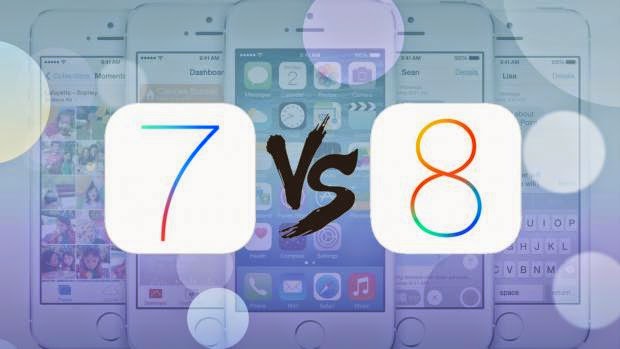
    Apple iOS 8 vs iOS 7 whats new in iOS 8


    When Apple announced iOS 8 at its Worldwide Developer Conference (WWDC) back in June, it called it the biggest ever update to its long-running mobile operating system. As well as sweeping visual changes, it also introduced new features for the iPhone 6. It will be a free upgrade to existing iPhone, iPod Touch and iPad users from 17th September 2014. Some limitations on hardware apply, so check out our guide on how to prepare your iPhone, iPod or iPad for iOS 8 for the full information.
    iOS 8 will launch on 17 September, just before the iPhone 6 and iPhone 6 Plus and will also be coming to a host of older Apple devices, a full list of which you can find here. But whats new in Apples latest, greatest operating system? Heres everything you need to know...

    A slightly newer look

    When iOS 7 arrived, it introduced a radical new visual style to iOS. Apple has enhanced the design for iOS 8, adding extra details in some places but simplifying and removing redundant tabs in others. The biggest change is in the multitasking window, which places shortcuts to your most frequently contacted people above the currently running apps for easier access.
    Notifications appear as a pop-up towards the top of the screen, rather than as a floating window that covers the center, and third party "widgets" are finally supported within the notification centre, although Apple still has final say on what makes it to the App store.

    Apple Pay

    With iOS 7 came Passbook, as a way to store vouchers, tickets and loyalty cards. With iOS 8 on the iPhone 6 Passbook can now be used with Apple Pay. This system stores credit cards securely in a digital wallet, letting you pay for goods using NFC and contactless payments. Authentication is via TouchID and your fingerprint, making the system secure and convenient. At the moment, this feature is only supported in the US, although we expect it to come to the UK before too long.
    Apple Pay

    Continuity with OS X

    iOS 8 will be fully integrated with OS X 10.10 Yosemite, with the ability to Airdrop files between mobile and desktop. Text messages can be displayed and responded to on a Mac laptop or desktop, and its also possible to make and receive phone calls using a paired handset from the OS X desktop.
    Hand off mode lets you switch devices when working on a document then pick up where you left off, based on proximity awareness. If you start writing an email on your phone, then move within range of your Mac, a prompt will appear in the dock asking whether youd like to finish typing using the Mac keyboard.

    Healthkit and homekit

    Healthkit is a brand new addition to iOS, which will become a hub for all fitness and health-related apps to feed data into and share with other third party apps. Beyond heart rate, calories burnt and sleep patterns, it should also be able to track blood sugar and cholesterol using dedicated equipment.
    Youll also be able to create an "emergency card" which contains allergies, blood type and other medical information, which can be accessed from the lock screen without actually unlocking the handset.

    A smarter keyboard

    iOS users have been stuck with the same basic keyboard since iOS first launched with the original iPhone, so the upgraded keyboard in iOS 8 is long overdue. The addition of QuickType predictions are supposed to suggest different words based on whether youre messaging a friend or writing a work email. Should you be asked a question, it will try to provide relevant answers.
    If that doesnt sound convenient enough, youll finally be able to install a third party keyboard to replace the stock Apple one. That means popular Android keyboards like Swype and Swiftkey will soon be getting iOS alternatives, letting you type by dragging a finger over the keyboard instead or tapping.

    Interactive notifications

    Notifications were previously static, forcing you into the relevant app rather than let you interact directly from the notification screen like you can with an Android device. Thats no longer the case with iOS 8, meaning you dont have to leave one app when you get a text message; you can simply tap out your reply and return to what youre doing. This can be done from within the notification centre, or from the lock screen.

    Spotlight on search

    Spotlight, the system-wide search accessed by pulling down from half way down the screen, has been updated to provide context-sensitive results based on what apps you have open and where youre physically standing. It can now also report back with results from multiple sources.
    If you type the name of a restaurant, iOS 8 will display contact details and provide a link to map directions. Type in the name of a film and youll get results from iTunes, as well as showtimes from your local cinemas.

    Hands-free Siri

    On iOS 7, you had to double-tap the home button to actiate Siri, Apples smart voice assistant. With iOS 8, Siri will be always on, so youll simply have to say "Hey Siri" followed by your command or question. Siri will also be able to buy things from the iTunes store for you, dictate in an additional 22 languages and will be fully integrated with Shazan, letting you ask what a song was to find out the artist and track details.

    And the rest

    Mail messages can now be marked as read, unread or flagged with a simple swipe, which should speed up organising your inbox. Threads can also be marked as VIP to track updates to important conversations, with red highlights to make them easier to identify.
    The Photos app now saves every photo into the iCloud, meaning youll be able to view them instantly on any iOS device using your iCloud account. You get 5GB of storage by default, and you can crop, straighten and add filters to your images. Edits are nondestructive, though, so you can always change your mind and restore the original image.
    You can now send video and audio clips directly to other iOS users with the updated Messages app, as well as start group conversations and share your location with others.
    Finally, the Safari web browser has been overhauled to bring it closer to Googles Chrome. As well as a cleaner, less cluttered interface, youll be able to request desktop websites rather than the mobile alternatives, open private and normal tabs simultaneously, get an overview of all open web pages (which groups tabs from the same site together) and use the camera to scan credit card details when making a purchase online.

    Read more »

    Xbox One Update Now Rolling Out Brings New Media Player App and More


    Microsofts Larry Hryb, also known as Major Nelson, on Thursday announced the start of the roll-out of the latest Xbox One system software update, which will bring several new media and social-related features to the game console- many of which wereannounced at Gamescom earlier this month.


    Hryb says the latest Xbox One system software update contains features requested by users, and will roll-out globally "over the next few days." The first major update is the new Media Player app that allows users to play files from an attached USB device. DLNA support for home servers is promised to come soon, as well as extended support for dozens of new file formats that will arrive by the end of the year.
    The latest Xbox One system update also brings a new Party App, which brings the party leader setting that allows the party leader to change the invite-only setting, and remove others from the party. Other users in the party will also be able to what everyone else is doing, and now have the ability to quickly mute players, join games, or invite players to games.
    The next major feature to receive an update is SmartGlass. Users can now post status messages from the Activity Feed and comments, or share items from both their Activity Feed and Game Clips. Hyrb explains a new personalized Activity Feed has been added to users profiles, and that messages now feature a new layout with a full conversation view. Users can now also record game clips directly from the Now Playing bar.
    Users in new regions (Australia, Canada (French), Italy, Spain, and Mexico) have been given support for the Kinect voice command Xbox On with the latest Xbox One system software update, which turns the console on when already in connected standby (Instant On) mode.
    Brazil, Mexico, Austria, and Ireland users have been given the OneGuide feature with the update, which allows users to configure live TV listings. The ability to use OneGuide and the Universal Remote Control in SmartGlass will also arrive in these markets.
    Other new features included in the latest Xbox One system software update are Boot to TV (booting directly to TV when coming out of connected standby), Bandwidth Usage display, and the ability to delete multiple GameDVR clips in the Upload app. Users can now also save their Avatar Gamerpics to their OneDrive accounts.
    The last Xbox One system software update began rolling out on August 17, and broughta new Activity Feed, the ability to share game clips both publically and privately, the ability to like game clips, and more.

    Read more »

    Google Earth 8 0 for Android adds new 3D tech quicker map updates

    Google has just announced a pretty big update for the Google Earth app for Android. The new version will be rolling out over the next week, bringing with it faster and smoother transitions as you’re zooming in.
    Mountains and cities get sharper 3D views too, thanks to an overhauled 3D rendering technology that was built from scratch. This is, in fact, the first big upgrade for the 3D tech since Google Earth launched 10 years ago. And more 3D updates are promised for the coming months.


    Moving on, Google Earth is finally getting updated map information at the same time as Google Maps. So you’ll always have the freshest details when using Earth. Furthermore, roads and labels have received a new coat of paint as well, as you can see in the image below.
    If you’ve ever created your own map for Google Earth, you’ll be happy to find out that you’ll even be able to open your KML files from Google Drive directly inside the Earth app.
    Read more »

    Monday, March 30, 2015

    Review Of The New Sony Smartwatch Currently The Best Android Wear

    It feels much longer, but it’s been less than 6 months since Android Wear hit the market. They have stealthily crept into use without much fuss, despite revolutionizing the wearables market. 

     
    Reducing the time spent interacting with your phone, but still mining all of that lovely data for Google. The launch devices were pretty average, the Moto 360 wasn’t for everyone despite its anticipation. So now its time to see, perhaps one of the more experienced smart watch maker, Sony take on Android wear. The Sony Smartwatch 3 review is straight ahead.

    Despite claiming they had no intention of making a watch for Android Wear, they have followed up two generations of Sony Smartwatch running their own OS, with a third – this time running Android Wear. 

     
    The imaginatively titled ‘Sony Smartwatch 3’ has the same rugged lifestyle proof ratings that their phones do. Each Android watch has been water resistant, but the SM3 sports an IP68 rating mean you can submerge it in water for up to 30 minutes, should you feel the need.

    Choose any color band you like, but they all are made of the same high quality rubber, with a matte finish. Matched with a clasp similar to that of a normal fashion watch, you have the making of foolproof comfy fitting. Unfortunately this is the sole area that lets the Smartwatch 3 down, and does it quite badly. 

    Get A First Look On Sony Smartwatch 3


    The screen is the same 1.6 inches we have seen before, with a new ‘Transflective Display’ providing the 320×320 display. This fancy technology means that while the screen isn’t as vibrant and colorful as that seen on the Moto 360, you can see it clear and accurately in even the brightest of sunlight.

    A fantastic improvement to what was the biggest gripe of the first wave of Android Wear watches.

    About Anna Harris:
    Anna Harris working as web content writer and a strategist for a major IT firm specialized in various mobile application development services for iOS, Android, Windows Phone and other operating systems.

    Follow Anna Harris On
    Read more »

    Vivo X5 Max a new mobile phone with a thickness of 4 75 mm

    Vivo


    And overtook him as a month ago rumors, but now its official: the Vivo X5 Max has just become the world’s thinnest smartphone. The Vivo X5 Max, developed by the Chinese company Vivo, incorporates a thickness of only 4.75 millimeters, and has just been officially presented at the Asian mainland. The availability of Vivo X5 Max is only confirmed for now for the Asian market and is expected that the first units begin to arrive in stores from December 22 to near $ 500 price.


     The Vivo X5 Max is designed considering not only the reduced thickness, but also in the technical specifications. The Vivo X5 Max comes with a 5.5 inch AMOLED screen that achieves a resolution of 1,920 x 1,080 pixels, all compressed into a housing 153.90 × 78 × 4.75 mm in size.


    Vivo


     The performance of this smartphone is powered by a Qualcomm Snapdragon 615 processor eight cores operating at 1.7 GHz clock speed. The capacity of the RAM is 2 gigabytes, which should result in optimal performance when squeezing the full potential of this smartphone.


     The internal storage space of Vivo X5 Max is 16 gigabytes. And although we believe that the reduced thickness of this terminal prevented Vivo includes the option of increasing the memory using an external card, the fact is that the X5 Max has a slot for microSD cards up to 128 gigabytes of capacity.


     The Vivo X5 Max also incorporates two cameras. The main camera is a Sony (IMX214) sensor that it be 13 megapixels, while the secondary chamber has a remarkably simple five megapixel sensor. The battery apparently has 2000 mAh capacity, although there is still no final confirmation about it. The operating system is installed as standard Android (version Android 4.4.4 KitKat) supplemented with Vivo interface itself by the name of FunTouch OS 2.0.


     Today it is unknown whether the Vivo X5 Max hit European stores, although it is assumed that its availability will not go beyond the Asian market. Still, in the European market also have smartphones that can boast a thickness limited: a good example of this is the Kazam Tornado 348, which with its thickness 5.15 mm became during last October in the world’s thinnest smartphone. The price of Kazam Tornado 348 in European stores is set to 250 euros.


     Moreover, the network already circulates videos that you can see firsthand the appearance of the new Vivo X5 Live:


    Vivo X5 Max a new mobile phone with a thickness of 4.75 mm

    Read more »

    New leaked image of Microsoft Lumia 1330

    New


    It seems that the Lumia 1330 the US company Microsoft is getting closer to becoming reality. New network filtered photography has allowed us to know how it will look new Lumia 1330, a new smartphone upper-middle range of Microsoft which is set to hit the market next year 2015 to succeed the current Nokia Lumia 1320.


     As can be seen in the image, Microsoft 1330 Lumia be larger than a smartphone practically enter into the category of phablet, which coincides with the information so far indicated that this mobile incorporate a screen size of 5.7 inches.


     This new picture has appeared published in the social network Asian Baidu, and if you look at the original photograph we see that behind the Lumia 1330 seems to have a colored covers that could perfectly correspond to the different versions in which this new smartphone will be available. Interestingly, these housings colors also appeared in the first rumors about the new Lumia 1330 that were released Microsoft makes more than a month.


     As regards the technical specifications of the new Microsoft Lumia 1330, this same image comes with features that match the specifications that had revealed hitherto previous leaks. According to the information known so far, the Lumia 1330 will be presented with a screen of 5.7 inches to reach a resolution of 1,280 x 720 pixels. The processor will correspond to a Qualcomm Snapdragon 400 (MSM8926 model) four cores, RAM will have a capacity of 1 GigaByte and internal storage is 32 gigabytes (of which shall be available to the user about 27 gigabytes).


    New


     The main chamber of the Lumia 1330, as we revealed one of the latest leaks, will come with a 14 megapixel sensor (probably PureView type) to be able to take photos with a maximum resolution of 4,176 x 3,120 pixels and videos with a maximum resolution of 1,920 x 1,080 pixels. The front camera will house a five megapixel sensor, and the maximum resolution that will offer when taking photographs will be of 2,592 x 1,956 pixels.


     Today, completely unknown date in which will be officially unveiled the new Microsoft Lumia 1330. The only clue we have today is the confirmation of attendance Microsoft technological event MWC 2015, which in some so could mean that the Lumia 1330 will be officially presented at this event. Recall that the MWC 2015 takes place in Barcelona (Spain) during the first days of March, and is an event where major mobile phone manufacturers present their innovations for the year.


    New leaked image of Microsoft Lumia 1330
    Read more »

    Acer One S1001 new 2 in 1 tablet with Windows

    Acer


    Acer has presented today and surprises your new tablet 2 in 1 with Windows 8.1. The announcement was held in India, which remains objective of many firms with the potential increase in sales is expected in this emerging market. The new model by the name of Acer One S1001 and reminds us inevitably to the old line of portable Aspire One, Aspire although the name has fallen by the wayside and specifications have nothing to do as you can see if you read on.


     The first thing that let this announcement is the possibility that Acer, as he has done with the surname Huawei Ascend their smartphones, can eliminate the surname Aspire forthcoming tablets as a way to indicate a change of pace. It is something that surely confirms upcoming releases but emerging as a possibility, as this strategy is often used to give an image of renewal within their products.


     Although the products themselves look “refried” from earlier. We cannot avoid comparisons of this tablet One S1001 with Aspire Switch 10, since both models share screen size (10 inches), support for detachable keyboard, possibility to place the tablet in different positions, including the keyboard pointing rear of the screen and the main lines of design, very similar. True, the remaining specifications are notable differences.


    Acer


     Specs Acer One S1001


     The Acer S1001 mind as we said with a 10.1 inch display with HD resolution, remember that the Switch 10 last October to Full HD improving updated. The chosen processor is an Intel Bay Trail Z3735F at frequencies of 1.33 GHz but peaks at 1.83 GHz in Turbo Boost mode. The RAM that accompanies it is 1 or 2 GB depending on the version chosen, always with 32GB of storage expandable with microSD and a hard disk of 500 GB that is integrated into the keyboard, a choice of the most interesting of this tablet.


     Other features to mention the 2 megapixel camera in the rear and VGA on the front, dual speaker enhances multimedia experience, 6,000 mAh battery and a section that includes microUSB connectivity, USB 2.0 port, micro HDMI (in the keyboard). The operating system is Windows 8.1 as mentioned and the price of the 19,999 rupees, which translates as something less than 300 euros, although it remains to be seen if its availability becomes international later.


    Acer One S1001, new 2 in 1 tablet with Windows
    Read more »

    Sunday, March 29, 2015

    Samsung Galaxy S5 Specs and iPhone 6 Screen Info Rumored in New Report

    galaxy s5 concept 7
    Samsung Galaxy S5

    We’re getting closer and closer to the Samsung Galaxy S5. We all know it’s going to happen, and we’re guessing it will occur during Samsung’s Unpacked 5 event in Barcelona later this month. That doesn’t stop the fun of speculation and rumors though, does it?
    Korean securities firm KDB Daewoo Securities Research has shipped off a single PDF file that alleges both the specs of the Samsung Galaxy S5 and Apple’s plans for the screen size of the iPhone 6. The company made its estimates using industry research, so they could be off, but it’s confident enough in the specs that it’s including them in a letter to investors. In regards to the Samsung Galaxy S5, the alleged specs are as follows:
    • 5.2 inch – 5.25 inch 2560×1440 AMOLED display (560ppi)
    • Qualcomm Snapdragon 805 or Samsung Exynos 6 processor (depending on model)
    • 3GB RAM
    • 32/64/128GB storage configurations
    • 16MP/3.2MP cameras
    • Running Android 4.4 KitKat
    • Release date: Q1 or Q2 this year
    Those aren’t overly flashy or amazing, but an upgrade in numbers none the less. Note the lack of a mention of any fingerprint or retina scanners though, which are also leaked and rumored to be equipped in the Samsung Galaxy S5.
    As for the iPhone 6, the PDF suggests that Apple will be releasing the phone in two different models, one with a 4.7 inch screen and the other with a 5.5 inch screen with resolutions of 1080 x 1920 and 1280 x 2272 respectively. Apple will also supposedly be changing the material of the screen to indium gallium zinc oxide (IGZO) from the older low-temperature polysilicon (LTPS), the firm suggests.
    Strangely, the PDF says that the iPhone 6 will run iOS 7.2 instead of 8, and it could launch as early as Q2, well before Apple’s typical release window.
    Of course, these are rumored leaks and should be taken cautiously to avoid any broken hearts or crushed dreams. Samsung has scheduled an “Unpacked 5″ event for Feb. 24, so you might want to wait for then to take any news to heart. At that point, we’ll be able to look over this again and see just how accurate the company is… if at all.


    Source: KDB Daewoo Securities Research
    Via: Phone Arena
     
      galaxy s5
    new cell phones 2014 verizon
    any new phones coming to uscellular in march?
    new phones coming out
    new phones out in april2014
    newest cell phones coming out
    cell phones coming out in 2014
    china new model mobile brand imo 2014
    galaxy s5 bilder  
    galaxy s5 nphone
    Read more »

    Samsung Galaxy S Advance I9070 Secret Codes New Galaxy S Advance Hidden Code


    Here i am going to show you how to access the internal function of Galaxy S Advance for testing the various hardware parts of your phone if it is working properly or not with the help of this secret code you can test lcd, vibration, camera, sensor (accelerometer sensor, proximity sensor, magnetic sensor), touch screen, speaker, sub key, etc... if you have any hardware problem with your galaxy S Advance you can identify with this code if it is working or not to do this follow the steps below.
    First of all open your keypad


    Then dial the secret code *#0*#. Now you get a screen with title LCD TEST and below that you have lots of option to test various hardware parts of your phone such as speaker, sensor, lcd, etc
    To go back use right physical button
    while testing the touch you have to touch and mark all the squares back button does not work
    Other use full secret codes for android phone tested on galaxy S Advance


    • * #1234# to check software version of phone.
    • *#12580*369# to check software and hardware information.
    • *#0228# Battery status (ADC, RSSI reading)
    • *#32489# Service mode
    • *#7780# factory data reset galaxy S Advance
    • *2767*3855# Full factory reset (Dont dial it does not ask you to confirm unless you have problem)
    If factory reset codes are not working then Click Here 

    Download Best Motion Sensor games for Andorid

    These codes will work on all the models of galaxy series.
    Read more »

    Saturday, March 28, 2015

    New rumors about the date of presentation of the Apple Watch and iPhone 6S

    Apple


    Watch Apple could come as scheduled, after all. So says the latest rumors from industry. There are clear indications that the company has solved these production problems that threatened to delay the Apple Watch, and with a limited release that could not meet demand. If all goes as planned, the Apple Watch hit stores next February, according to the consulting Rosenbalt Securities and nearby to industry sources.  Apple introduced Watch Apple last September but did not give a specific date, but simply to say she would be in early 2015. In this sense, there is nothing written in stone and Apple could still move the date of smart his first watch.


     Apple’s suppliers have managed to solve manufacturing problems Apple Watch and the device would reach stores in February, the date that has been rumored for several months. Due to some delays in the production line, a significant delay is expected at launch, and even talk that would initially limited quantity. Finally they have managed to save the pothole and the company Quanta, responsible for the assembly of Apple Watch, has lists three to five million units to deliver at the beginning, with a total order of 24 million units. To do this, they have hired no fewer than 8,000 workers, expanding its workforce by five. These figures should be more than sufficient to meet initial demand. Misses the numbers of the iPhone, but keep in mind that Apple Watch is a new product that has such a wide audience, at least not yet.


    Apple


     A few days ago came the rumor that Apple is hiring experts in fashion and luxury goods to sell in their stores Apple Watch. The clock apple puts special emphasis on design, with lots to choose from. There are two sizes, three materials in two finishes each and many straps. In total, no fewer than 64 combinations in store, and that without straps colors . The interface has been adapted and applications are shown as a cloud icon. It is operated via the touch screen, which incidentally detected pressure, and the side screw, used to zoom or scroll.


     On the other hand, there are clues to the date of the iPhone 6S. Like every year, there are rumors that Apple could advance the launch spring, as they did years ago. However, the brand remains faithful to its long schedule of presentations in autumn and now the latest rumor corroborates this theory. Currently there is no information on possible technical profile, but, being an “S” version we know what we can find. Same design as the iPhone 6 but improved internal components.


    New rumors about the date of presentation of the Apple Watch and iPhone 6S
    Read more »

    Google Experience would be the new Android Kitkat 4 4 Launcher


    One of the thing that didnt change a lot throughout all the Android evolution is the launcher. So far, we are using the 2.0 version of the launcher which has been introduced with Ice Cream Sandwich.

    Android Police has discovered that the name of the launcher inside Android 4.4 is mainly referred as com.android.launcher3 instead of com.android.launcher2. Some others items cites com.google.android.gel where gel stands for Google Experience Launcher.

    There would also be a new popup when starting with Android to inform you of the changes :


    The message indicates a "Google Nowish" experience with your launcher which would become dynamic and learn from your habits. So far, no informations as to what it would learn or do once your habits are learned.

    Source : Android Police
    Read more »