Showing posts with label vs. Show all posts
Showing posts with label vs. Show all posts
Thursday, April 2, 2015
Comparison Infinix Alpha VS Tecno Phantom A2
Tecno and Infinix have unveiled their sets of latest device, Tecno Phantom A2 and Infinix Alpha respectively. You can get more details on each device by clicking on the names of the device.

While these two devices are almost very similar, there exit some differences which could to an extent decide for the would be buyer. See video review here
Below is a quick basic comparison between the two devices. The green box coding signify where a device beats the other when compared and its reflected in the red box coding.

From the image I have created above, a good picture of the strength and weakness of both devices are seen and its easier to make decision on which of the devices catches your attention more especially considering the price difference.
Drop your comments and let us know what you guys think.
Drop your comments and let us know what you guys think.
Like our Facebook page and follow on Twitter for more tech news and guides

Tuesday, March 31, 2015
Apple iOS 8 vs iOS 7 whats new in iOS 8
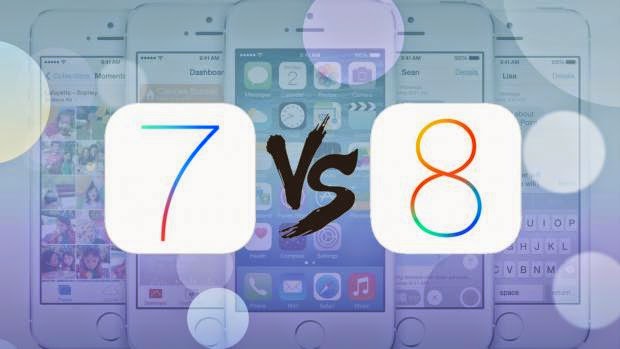
When Apple announced iOS 8 at its Worldwide Developer Conference (WWDC) back in June, it called it the biggest ever update to its long-running mobile operating system. As well as sweeping visual changes, it also introduced new features for the iPhone 6. It will be a free upgrade to existing iPhone, iPod Touch and iPad users from 17th September 2014. Some limitations on hardware apply, so check out our guide on how to prepare your iPhone, iPod or iPad for iOS 8 for the full information.
iOS 8 will launch on 17 September, just before the iPhone 6 and iPhone 6 Plus and will also be coming to a host of older Apple devices, a full list of which you can find here. But whats new in Apples latest, greatest operating system? Heres everything you need to know...
A slightly newer look
When iOS 7 arrived, it introduced a radical new visual style to iOS. Apple has enhanced the design for iOS 8, adding extra details in some places but simplifying and removing redundant tabs in others. The biggest change is in the multitasking window, which places shortcuts to your most frequently contacted people above the currently running apps for easier access.
Notifications appear as a pop-up towards the top of the screen, rather than as a floating window that covers the center, and third party "widgets" are finally supported within the notification centre, although Apple still has final say on what makes it to the App store.
Apple Pay
With iOS 7 came Passbook, as a way to store vouchers, tickets and loyalty cards. With iOS 8 on the iPhone 6 Passbook can now be used with Apple Pay. This system stores credit cards securely in a digital wallet, letting you pay for goods using NFC and contactless payments. Authentication is via TouchID and your fingerprint, making the system secure and convenient. At the moment, this feature is only supported in the US, although we expect it to come to the UK before too long.

Continuity with OS X
iOS 8 will be fully integrated with OS X 10.10 Yosemite, with the ability to Airdrop files between mobile and desktop. Text messages can be displayed and responded to on a Mac laptop or desktop, and its also possible to make and receive phone calls using a paired handset from the OS X desktop.

Hand off mode lets you switch devices when working on a document then pick up where you left off, based on proximity awareness. If you start writing an email on your phone, then move within range of your Mac, a prompt will appear in the dock asking whether youd like to finish typing using the Mac keyboard.
Healthkit and homekit
Healthkit is a brand new addition to iOS, which will become a hub for all fitness and health-related apps to feed data into and share with other third party apps. Beyond heart rate, calories burnt and sleep patterns, it should also be able to track blood sugar and cholesterol using dedicated equipment.
Youll also be able to create an "emergency card" which contains allergies, blood type and other medical information, which can be accessed from the lock screen without actually unlocking the handset.
A smarter keyboard
iOS users have been stuck with the same basic keyboard since iOS first launched with the original iPhone, so the upgraded keyboard in iOS 8 is long overdue. The addition of QuickType predictions are supposed to suggest different words based on whether youre messaging a friend or writing a work email. Should you be asked a question, it will try to provide relevant answers.

If that doesnt sound convenient enough, youll finally be able to install a third party keyboard to replace the stock Apple one. That means popular Android keyboards like Swype and Swiftkey will soon be getting iOS alternatives, letting you type by dragging a finger over the keyboard instead or tapping.
Interactive notifications
Notifications were previously static, forcing you into the relevant app rather than let you interact directly from the notification screen like you can with an Android device. Thats no longer the case with iOS 8, meaning you dont have to leave one app when you get a text message; you can simply tap out your reply and return to what youre doing. This can be done from within the notification centre, or from the lock screen.
Spotlight on search
Spotlight, the system-wide search accessed by pulling down from half way down the screen, has been updated to provide context-sensitive results based on what apps you have open and where youre physically standing. It can now also report back with results from multiple sources.

If you type the name of a restaurant, iOS 8 will display contact details and provide a link to map directions. Type in the name of a film and youll get results from iTunes, as well as showtimes from your local cinemas.
Hands-free Siri
On iOS 7, you had to double-tap the home button to actiate Siri, Apples smart voice assistant. With iOS 8, Siri will be always on, so youll simply have to say "Hey Siri" followed by your command or question. Siri will also be able to buy things from the iTunes store for you, dictate in an additional 22 languages and will be fully integrated with Shazan, letting you ask what a song was to find out the artist and track details.
And the rest
Mail messages can now be marked as read, unread or flagged with a simple swipe, which should speed up organising your inbox. Threads can also be marked as VIP to track updates to important conversations, with red highlights to make them easier to identify.
The Photos app now saves every photo into the iCloud, meaning youll be able to view them instantly on any iOS device using your iCloud account. You get 5GB of storage by default, and you can crop, straighten and add filters to your images. Edits are nondestructive, though, so you can always change your mind and restore the original image.
You can now send video and audio clips directly to other iOS users with the updated Messages app, as well as start group conversations and share your location with others.
Finally, the Safari web browser has been overhauled to bring it closer to Googles Chrome. As well as a cleaner, less cluttered interface, youll be able to request desktop websites rather than the mobile alternatives, open private and normal tabs simultaneously, get an overview of all open web pages (which groups tabs from the same site together) and use the camera to scan credit card details when making a purchase online.
Canon vs Nikon between myth and reality
 |
| Sexy photographer with her Nikon camera. Image: flickr.com |
The novice photographer, both of which want to buy a compact-system camera, or if they want to directly choose a camera with a professional impression, that they want to have a DSLR camera, then they will feel a dilemma, whether choosing Canon or Nikon camera. Do you also feels the same way?
It is natural that, since several decades, both Nikon and Canon are the main players, especially in the world of journalism. Perhaps you often pay attention to the photo journalists who cover sporting events or political events, even in the event of celebrities, then you will see dozens of journalists who carry a Nikon or Canon DSLR camera, which is equipped with a telephoto or zoom lens. Similarly, if you are watching a movie, often there is a scene where the photojournalist and photographer who brings a camera Canon or Nikon.
 |
| Adriana Lima with Canon camera. Image: wide-wallpapers.net |
In addition, Nikon and Canon have become a unique myth, that to make the best photographs, there are only two "major religions", ie Canon or Nikon. But okay, although you can find on the sophistication of the other famous brands, so on this occasion I would like to give a review about the comparison between Canon and Nikon. After that, you can conclude to choose one of them, or that you will choose another brand because of you, probably do not want to get stuck in the "ancient myths" about Canon and Nikon.
 |
| Canon EOS 70D vs Nikon D7100. Image: youtube.com |
There is a special note for the novice photographer, then you need to remember the sentence I quoted from PCmag.com, that If youre a first-time SLR shopper youre purchasing more than just a camera, youre buying into a camera system. This means you have to make sure that the DSLR camera would you buy it for the long term. At one time you would have to buy additional lenses, camera accessories, filters, flash, tripods, and other add-ons .By ensuring to choose Canon or Nikon, to choose one brand, whether Canon or Nikon, then you can develop your creativity to the next level, you can even seriously to become a professional photographer.
I want to give you the information that I got from craftsy.com (written by Nicholas Donner), namely about your reasons for choosing Canon or Nikon, but I did not direct you to vote only for reasons mentioned below. You who have the power to decide.
1. If you have already invested any money in lenses for one system, it makes some sense to stick with it, unless you can cash out your gear without losing too much in the process.
2. Canon has had a larger market share for about 10 years now, which means there is a larger inventory of used gear on the market. If you are shopping on a tight budget and are willing to buy used, this may work to your advantage.
3. If you know someone who has a set of lenses for one system or the other, you may be able to borrow or trade more easily.
4. If you work as part of a team or your employer is invested in a system, it’s helpful to be on a similar system. Nikon and Canon have small variances in their capture of color. If you are post-processing groups of photos from both cameras, it could be difficult to maintain consistency among all your images.
For some people, it comes down to the way the camera feels in your hands and if the menu options are intuitive. Richard Donner said that he bought his first Canon DSLR because he was comfortable with the menu after having used a Canon compact camera.
 |
| Nikon D5300 vs Canon EOS 700D. Image: mychaos.ru |
Thus, prior experience can sometimes affect a persons decision to buy a particular brand. My neighbors 10 years ago only bought him to replace any Toyota brand cars, so did my friend, very fanatical at Ford, while others are a lot of people who want to try other brands. I myself have used Nikon, Sony, and Olympus. If you are not a fanatic on a brand, then you can explore and compare different brands of cameras, until you find the right feeling when using a camera.
In the world of cameras, it turns out there is a myth to believe that Nikon is perfect for shooting landscapes, while Canon is suitable for shooting of the models in the studio, and various other myths. Perhaps you are also severely affected by the sights on television when you watch the game of football, baseball, basketball or athletics, then you will see there is a predominance of certain cameras used by sports journalists. The novice photographer will probably be affected by the situation, as if the dominant DSLR camera is the best product to choose. But you have to believe, that the person behind the camera is the main determinant of outcome incredible photographs.
As a final note, there is no definitive measure to settled on a Canon or Nikon. I just believe that both Nikon and Canon are a leading company that strongly believes in their product that has a high quality. They definitely want to satisfy the photographers, both amateur and professional photographers, so Canon and Nikon will always compete to create a variety of cameras, lenses and other accessories to support your activities to become a great photographer in the future.
For additional information, so you get more real information, you can read reviews about the comparison of Canon and Nikon, as follows:
1. CanonEOS 70D compare to the Nikon D7100
2. CanonEOS 700D vs Nikon D5300
Subscribe to:
Posts (Atom)